
Browser Automation
Navigate across multiple live webpages, take a screenshot at each stop, and download every PNG — all from a single prompt.
What you'll build
A script that launches a headless browser inside a cloud sandbox, visits Hacker News, clicks into the top story's comments, then visits a GitHub repo — screenshotting each page along the way.
The Script
Create a file called browser.ts:
typescript
import { createClient } from "swarmlord";
import { writeFileSync, mkdirSync } from "fs";

// prepare
const client = createClient({ apiKey: process.env.SWARMLORD_API_KEY! });
const session = await client.agent("build").createSession();

// run agent
await session.send(
    `Browse a few pages and take screenshots along the way:
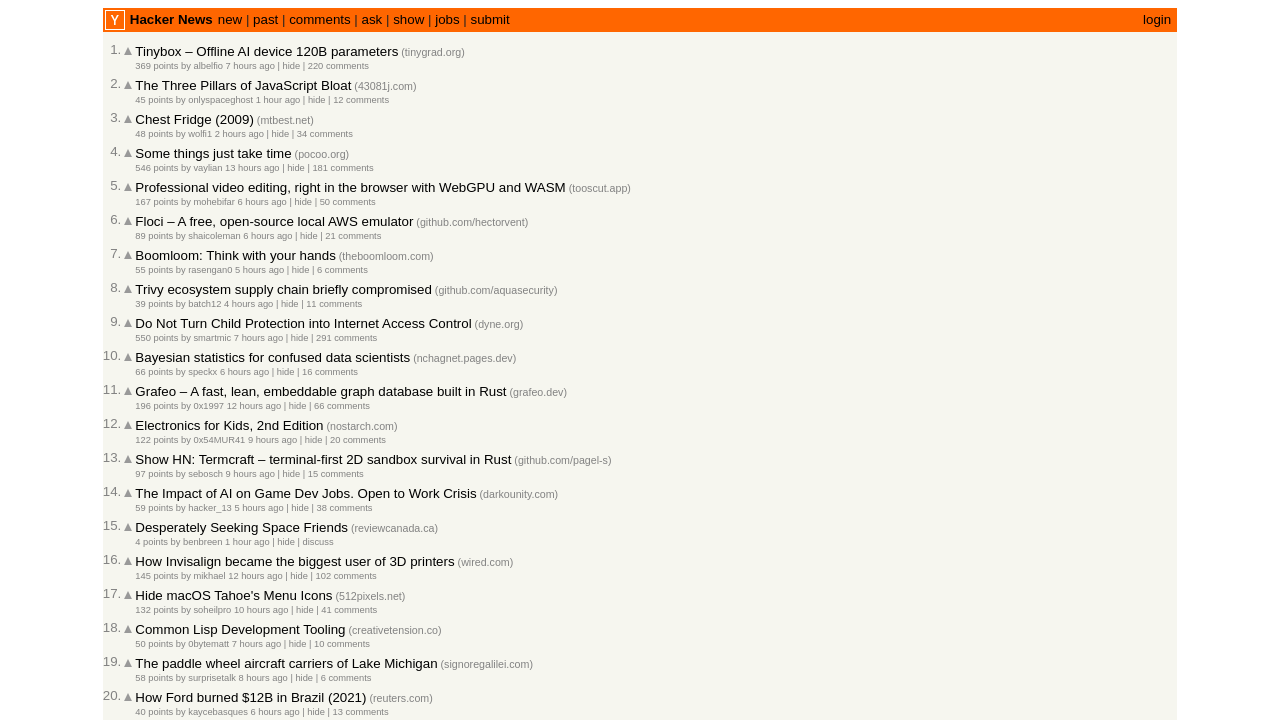
1. Go to news.ycombinator.com and screenshot the front page → /workspace/1-hn.png
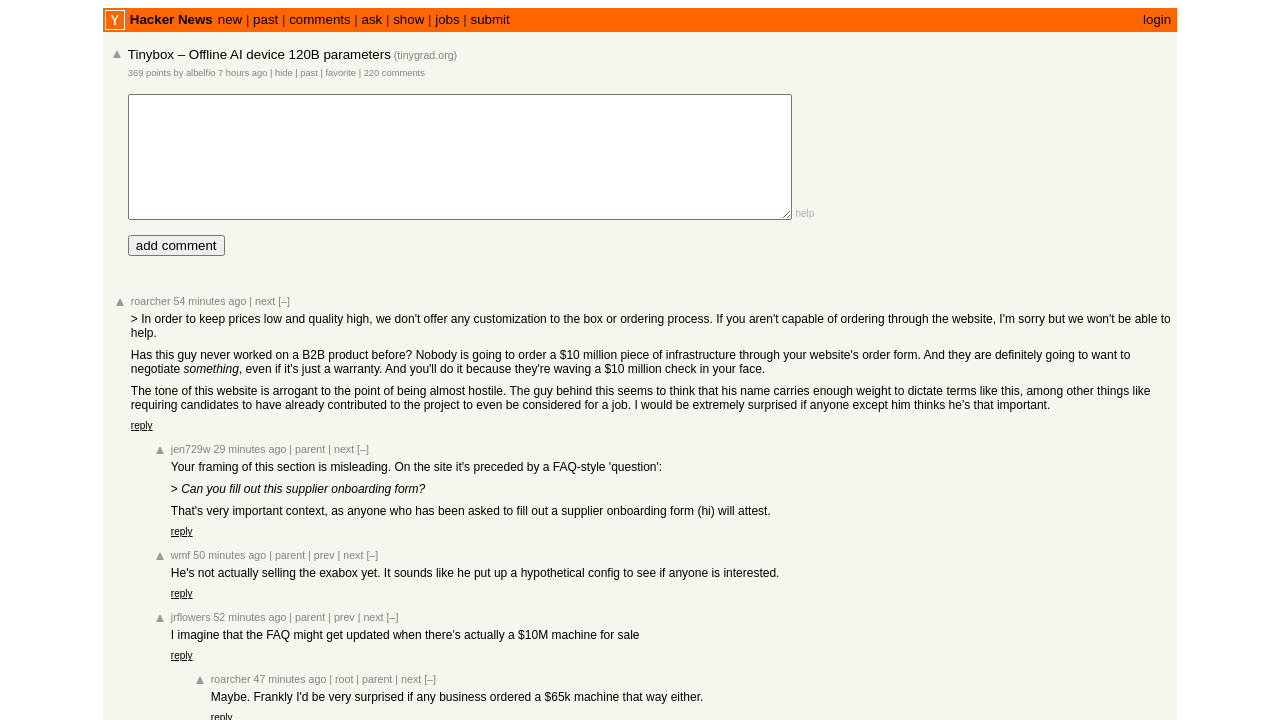
2. Click into the top story and screenshot the comments page → /workspace/2-comments.png
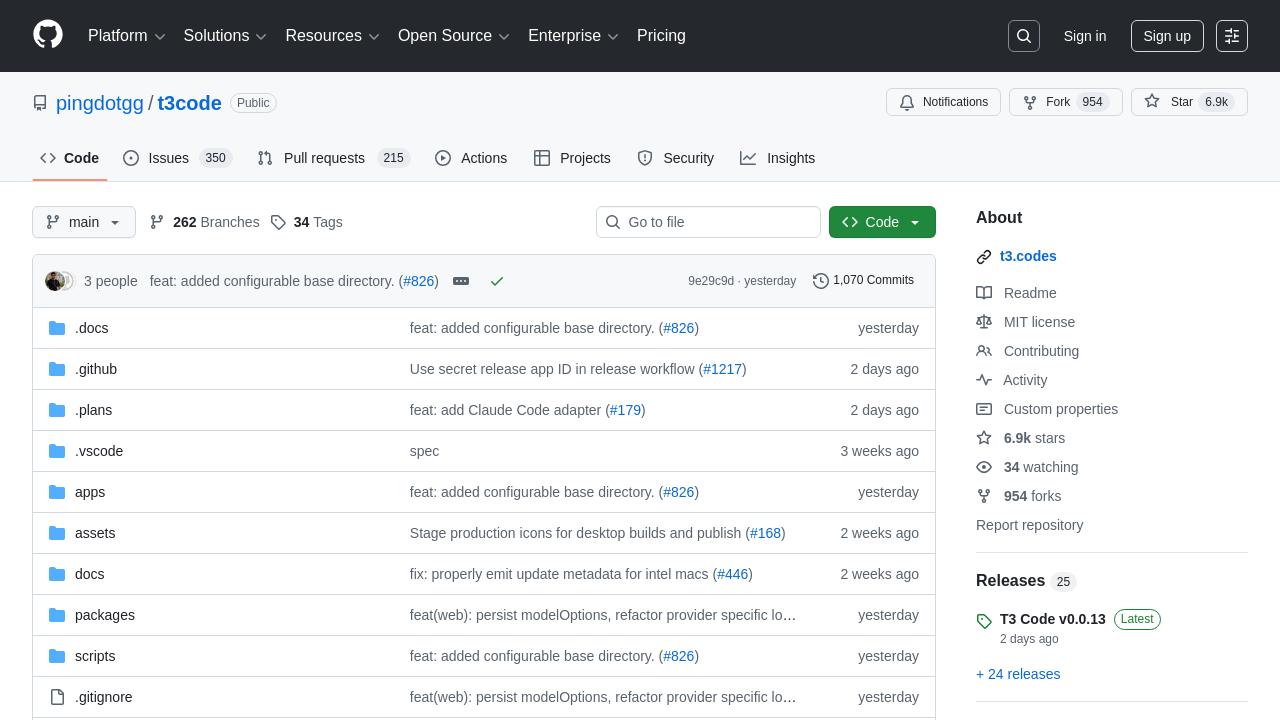
3. Go to https://github.com/pingdotgg/t3code and screenshot the repo page → /workspace/3-github.png
Save each screenshot before navigating to the next page.`,
    { onText: delta => process.stdout.write(delta) }
);

// download artifacts
mkdirSync("output", { recursive: true });
const files = ["1-hn.png", "2-comments.png", "3-github.png"];
for (const file of files) {
    try {
        const buf = await session.getFileBuffer(`/workspace/${file}`);
        writeFileSync(`output/${file}`, new Uint8Array(buf));
        console.log(`\nDownloaded output/${file}`);
    } catch {
        console.log(`\nSkipped ${file} (not found)`);
    }
}

await session.end();
Run It
bash
export SWARMLORD_API_KEY="your-key-here"
bun browser.ts
The agent streams its work in real-time — launching a headless Chromium browser, navigating to each page, capturing screenshots, and saving them to the sandbox. When it finishes, all three PNGs land in your local output/ folder.
Output
These are the actual screenshots produced by the script above:
1. Hacker News front page
2. Top story comments
3. GitHub repository
How It Works
| Step | What happens |
|---|---|
createClient | Authenticates with the swarmlord API |
agent("build").createSession() | Spins up a session with a Linux sandbox and all tools enabled |
session.send(prompt) | The agent invokes the browser tool three times — a headless Chromium instance powered by Cloudflare Browser Rendering — navigating, clicking, and screenshotting at each stop |
getFileBuffer (loop) | Downloads each binary PNG from the sandbox to your machine |
session.end() | Cleans up the session and its sandbox |
Browser tool capabilities
The browser tool supports more than screenshots. It can click, type, scroll, wait for selectors, and scrape rendered text from JavaScript-heavy pages. See the Tools reference for the full API.